


We will cover what encoding means, self versus pre-encoding, tools and software, the encoding workflow, testing, linking to your system, and bulk encoding.
Key takeaways
- Encoding writes the IDs or data your systems need onto each chip.
- You can encode bands yourself or have the manufacturer pre-encode them.
- Proper tools, software, and a clear workflow make encoding reliable.
- Always test and verify encoded bands before the event.
What encoding and programming mean
Encoding means writing data to a wristband's RFID or NFC chip so your system recognizes and uses it. Every chip has a unique identifier, and encoding may involve registering that ID in your system, writing additional data (such as an account reference or access level) to the chip's memory, or both, depending on your setup. For access control, the band's ID is associated with an authorized credential; for cashless payment, it is linked to a balance or account; for other uses, relevant data is written or registered. Encoding is what turns a blank band into a functional credential your system understands. Whether the relevant data lives on the chip, in your back-end system linked to the chip's ID, or both depends on your platform. Understanding that encoding connects each wristband to your system — by writing to the chip, registering its ID, or both — is the foundation for programming bands correctly before your event so they function as intended.
Doing it yourself versus manufacturer pre-encoding
You have two options for encoding: do it yourself or have the manufacturer pre-encode the bands. Self-encoding gives you full control and flexibility, letting you program bands to your exact specification and re-encode reusable bands as needed, but it requires the tools, software, and time to encode each band — significant for large quantities. Manufacturer pre-encoding has the bands programmed to your specification before shipping, so they arrive ready to use, saving you the on-site effort of encoding thousands of bands. Pre-encoding is valuable for large events where time is short, while self-encoding suits those needing ongoing control or re-encoding reusable bands between uses. Many organizations use a mix — pre-encoding for initial deployment, self-encoding for re-use. Deciding between self-encoding and manufacturer pre-encoding depends on your quantity, timeline, control needs, and whether bands are reused, and it shapes how you prepare your wristbands before the event.
Tools and software you need
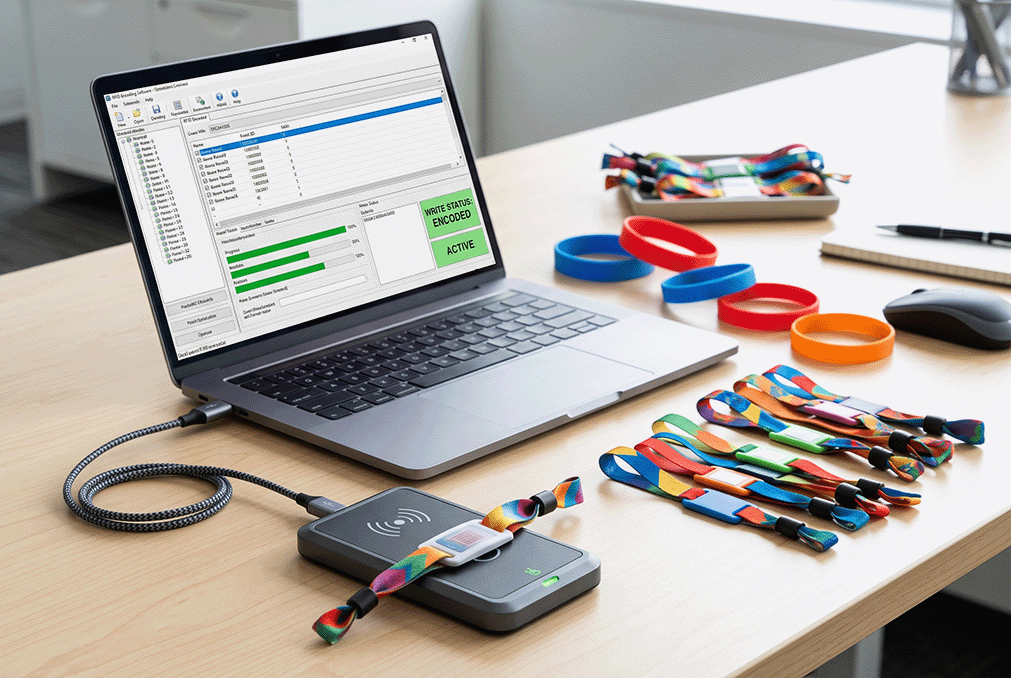
To encode bands yourself, you need the right tools. An RFID reader-encoder capable of writing to your bands' chips at the correct frequency is essential — it must support your chip type (such as the relevant NFC or UHF chips). Encoding software or an application that controls the encoder and manages the data to write is needed, often provided with your access or payment platform or as standalone tools. For high-frequency NFC bands, NFC-capable devices or dedicated encoders work; for UHF, appropriate UHF encoders. You also need your data — the IDs, references, or access levels to encode — organized and ready. Ensuring you have a compatible encoder, suitable software, and your prepared data is the prerequisite for self-encoding. Without the right tools matched to your chip and system, encoding cannot proceed reliably. Assembling the correct reader-encoder, software, and data for your wristbands and platform is the practical foundation for programming bands yourself before an event.
A step-by-step encoding workflow
A clear workflow makes encoding reliable. First, prepare your data — the list of IDs, account references, or access levels to encode, organized to match your bands. Second, set up your encoder and software, confirming they communicate and are configured for your chip type. Third, encode each band by presenting it to the encoder and writing the assigned data (or registering its ID), working through your quantity systematically. Fourth, verify each band reads correctly after encoding (covered next). Fifth, organize the encoded bands for distribution, keeping any needed association between bands and guests or categories. Following this sequence — prepare data, set up tools, encode, verify, organize — ensures bands are programmed correctly and systematically. For large quantities, a methodical workflow prevents errors and omissions. Establishing and following a clear encoding workflow for your wristbands ensures every band is correctly programmed and accounted for before the event, avoiding the confusion and errors that ad hoc encoding of large quantities can cause.
Testing and verifying encoded bands
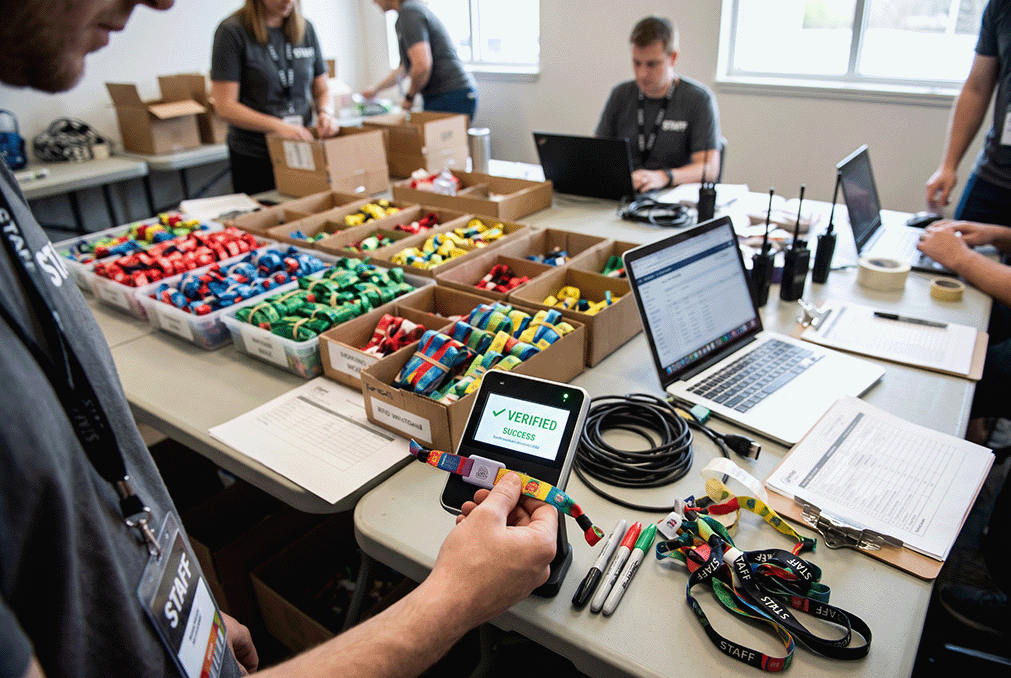
Testing is a critical step. After encoding, verify that each band reads correctly with the readers your event will use, confirming the chip was programmed properly and the band functions as intended. Testing catches encoding errors — bands that failed to program, were programmed incorrectly, or are not recognized by your system — before they cause problems at the event. For large quantities, testing each band or a thorough sample ensures reliability. Verify that encoded bands trigger the correct response in your access or payment system, not just that they read. Catching and re-encoding any faulty bands before the event prevents access failures and guest frustration on the day. Building verification into your encoding process — testing bands against your actual system — ensures the programmed wristbands will work when distributed. This testing step is essential quality assurance, confirming that encoding succeeded and that bands will function reliably at the event rather than discovering failures at the gate.
Linking bands to your access and payment system
Encoding connects to your broader system, so the link must be correct. For access control, encoded bands must be recognized as authorized credentials by your access system, with the right access levels or zones associated. For cashless payment, bands must link to balances or accounts your payment system manages, so taps deduct correctly. This linking — between the band's chip and your system's records — is what makes the band functional, whether the data is on the chip, in your system keyed to the chip ID, or both. Ensuring encoded bands are properly registered and linked in your access and payment platforms is essential to function. Testing confirms this linking works. Coordinating encoding with your system setup ensures bands are not just programmed but correctly integrated, so they grant the right access and process payments properly. The link between encoded wristbands and your systems is what delivers the access and payment functionality, making correct registration and linking a key part of encoding for your event.
Encoding wristbands in bulk
For large events, encoding thousands of bands requires efficiency. Bulk encoding can use equipment that programs bands quickly in sequence, and a systematic workflow to process large quantities without errors. This is time-consuming if done by hand close to the event, which is why manufacturer pre-encoding is attractive for large quantities — the bands arrive ready, eliminating the on-site bulk-encoding burden. If self-encoding in bulk, allow sufficient time and use efficient tools and a clear process, with thorough testing. Whether you pre-encode via the manufacturer or encode in bulk yourself, planning for the volume ensures all bands are ready before the event. For high-volume events, the choice often favors pre-encoding to avoid the substantial effort of encoding thousands of bands on-site. As a manufacturer offering pre-encoding services for RFID wristbands, our team can program bands to your specification before shipping, so they arrive ready to use. To arrange encoded or pre-encoded wristbands for your event, contact our team with your encoding requirements.
Frequently Asked Questions
What does it mean to encode an RFID wristband?
Encoding writes data to the band's chip so your system recognizes and uses it — registering the chip's unique ID in your system, writing data like an account reference or access level to the chip, or both. This turns a blank band into a functional credential your access or payment system understands and acts on.
Should I encode bands myself or have them pre-encoded?
It depends on your situation. Manufacturer pre-encoding has bands programmed before shipping so they arrive ready, saving the effort of encoding thousands on-site — ideal for large events. Self-encoding gives full control and lets you re-encode reusable bands between uses. Many organizations mix both: pre-encoding for deployment, self-encoding for reuse.
What tools do I need to encode wristbands?
An RFID reader-encoder that writes to your chip type at the correct frequency, encoding software to control it and manage the data (often from your access or payment platform), and your prepared data — the IDs, references, or access levels to write. The encoder and software must match your chip and system for reliable encoding.
Why must I test encoded bands?
Testing catches encoding errors — bands that failed to program, were programmed wrong, or are not recognized — before they cause access failures at the event. Verify each band (or a thorough sample) reads correctly with your actual readers and triggers the right system response, then re-encode any faulty bands before the event.
How do encoded bands link to my system?
For access, the band's ID is registered as an authorized credential with the right access levels; for payment, it links to a balance or account your system manages. The data may live on the chip, in your system keyed to the chip ID, or both. Correct registration and linking is what makes the band grant access and process payments.
Get your event wristbands encoded and ready
We pre-encode RFID and NFC wristbands to your specification before shipping — bands arrive ready to use, tested and programmed for your access and payment systems.
Arrange pre-encoding Explore RFID wristbands